Power Supply
Publisher Description


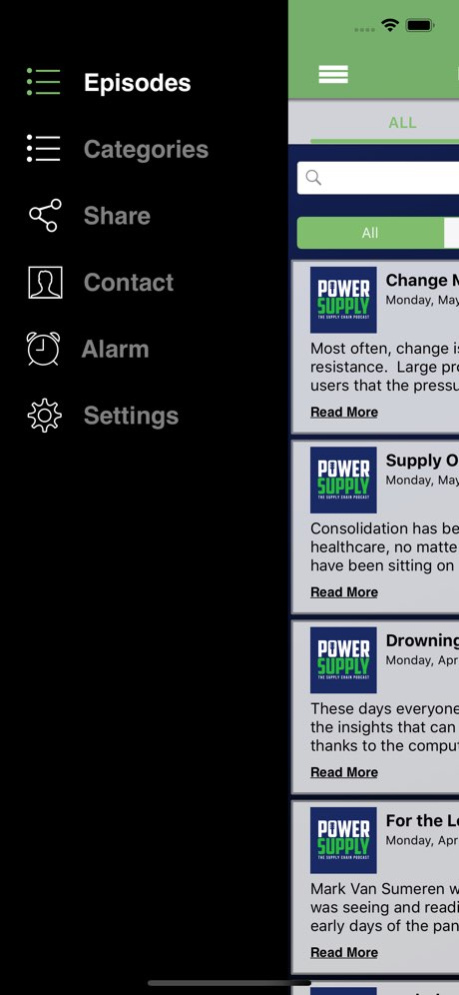
Without supplies there is no surgery. Without products there is no patient care. Welcome to Power Supply - the healthcare supply chain podcast focused on helping you navigate the intricacies of logistics, purchasing, contracting and supplier relationships. Each episode we speak with healthcare executives, supply chain leaders, and innovative entrepreneurs from across the country as they share their stories, experience and expertise on the industry we love. From the loading dock to strategic sourcing, for buyers to the C-Suite and across the enterprise -- we tackle the real-life issues impacting the health care supply chain. Whether you’re tuning in for conversation or inspiration, we’re glad you're here. You’re just in time to hear it from the source and stock up on insight, so sit back and plug into Power Supply...
With this app you are always connected to the latest episodes and the show. Quickly star episodes and save them to a list so you can easily enjoy them over and over! This app has a Car mode too! Rotate your phone to display larger playback controls. It is the best and most convenient way to access [APP_NAME_HERE].
If you're a fan of the show you won't want to be without it!
This app contains the following features:
* Car mode, rotate your phone to display larger playback controls
* Streaming access to play episodes from anywhere
* Always updated with the latest episodes- and an archived back catalog
* Playback resume (when interrupted by a call or other distraction)
* Quick access to all the contact methods for the show like call, email, web, Facebook, and Twitter
* Playback controls like continuous play, Speed 1x, Repeat Off, and Sleep Timer
Thank you for purchasing this app and supporting the show!
About Power Supply
The company that develops Power Supply is Justin Poulin. The latest version released by its developer is 1.0 .
To install Power Supply on your iOS device, just click the green Continue To App button above to start the installation process. The app is listed on our website since 2026-10-06 and was downloaded 1 times. We have already checked if the download link is safe, however for your own protection we recommend that you scan the downloaded app with your antivirus. Your antivirus may detect the Power Supply as malware if the download link is broken.
How to install Power Supply on your iOS device:
- Click on the Continue To App button on our website. This will redirect you to the App Store.
- Once the Power Supply is shown in the iTunes listing of your iOS device, you can start its download and installation. Tap on the GET button to the right of the app to start downloading it.
- If you are not logged-in the iOS appstore app, you'll be prompted for your your Apple ID and/or password.
- After Power Supply is downloaded, you'll see an INSTALL button to the right. Tap on it to start the actual installation of the iOS app.
- Once installation is finished you can tap on the OPEN button to start it. Its icon will also be added to your device home screen.
